The New HTTP Method: QUERY (RFC 10008)

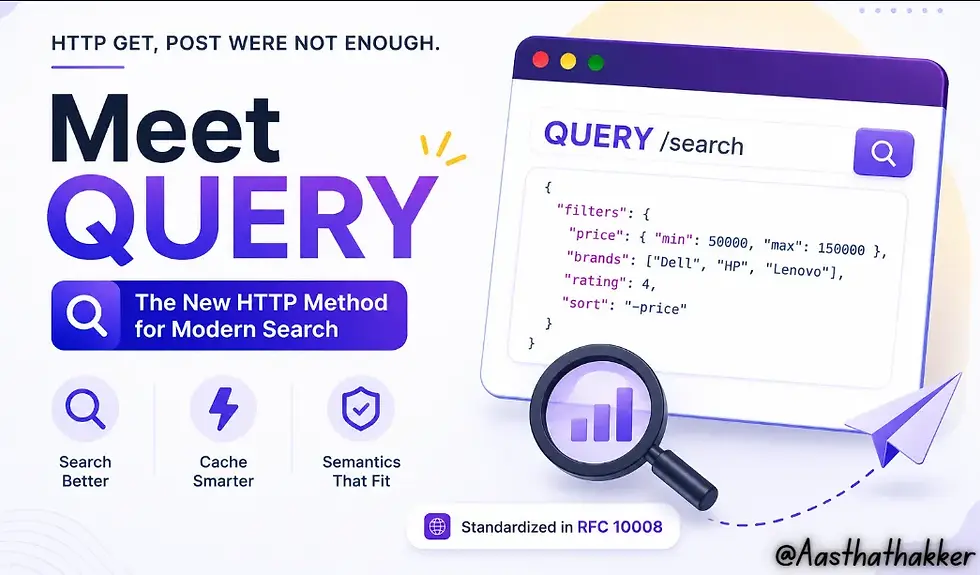
HTTP has been around for more than three decades. In all that time, we’ve added frameworks, REST conventions, GraphQL, WebSockets, and entire generations of API tooling but the actual list of HTTP methods remained same.
In fact, nearly 16 years passed after PATCH became the last widely adopted general-purpose HTTP method in 2010 before HTTP quietly gained a new one in June 2026. Not a framework feature. Not a browser experiment. An actual addition to the protocol itself: the QUERY method, standardized in RFC 10008.
I had the same reaction most people probably did, wait, HTTP got a new method? After going through RFC 10008, it clicked pretty quickly why GET and POST were never quite enough for this, and why the fix took this long to arrive.
If you’ve ever designed or consumed REST APIs, you’ve probably encountered situations where:
A GET request became too large because of dozens of filters.
A POST request was used even though nothing was actually being created.
The API technically worked, but its semantics felt… wrong.
QUERY exists because of exactly these situations.
Refresher on HTTP Methods
Before talking about QUERY, let’s quickly revisit what HTTP methods are meant to represent. Every HTTP request tells the server what kind of operation the client wants to perform.

Every HTTP request carries a method, and three properties decide how the rest of the stack treats it:
Safe: the client isn’t asking for any change in server state. GET, HEAD, and OPTIONS are safe by definition.
Idempotent: repeating the same request produces the same result as sending it once. GET is idempotent. POST is not, resend a POST and you might create a duplicate order or a duplicate comment.
Cacheable: a response can be stored and reused for a later, identical request. GET is cacheable by default. POST technically can be cached under RFC 9111, but only under narrow conditions, and only to serve future GET requests, not future POSTs.
Why GET Wasn’t Always Enough
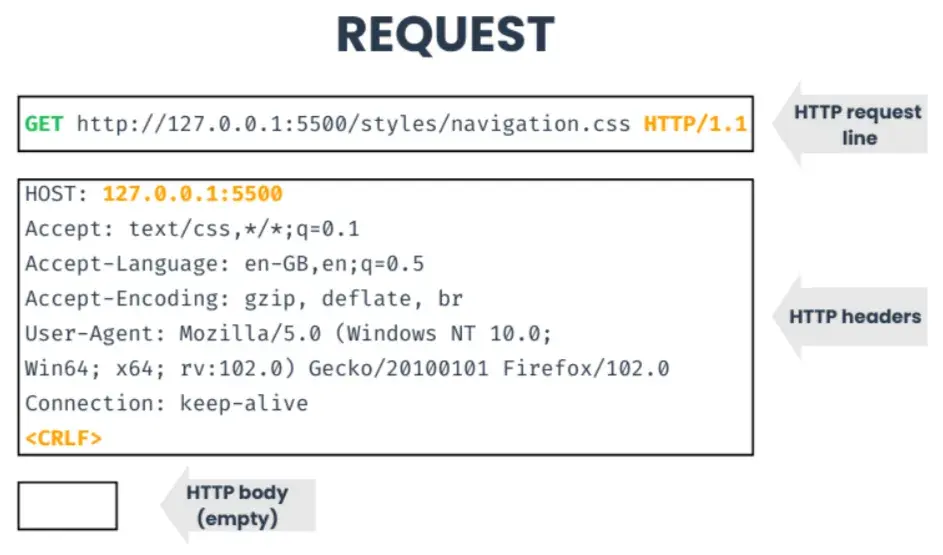
GET stores request parameters inside the URL.
For straightforward requests, that’s perfect.
GET /products?category=laptopsNeed another filter?
GET /products?category=laptops&brand=LenovoStill manageable.
But modern applications rarely stop there. Consider an enterprise e-commerce platform. A user might search with multiple brands, price ranges, ratings, delivery locations, availability, colors etc.
Suddenly the URL starts looking like this:
GET /products?
category=laptops&
brand=Lenovo,Dell,HP&
priceMin=50000&
priceMax=150000&
ram=16,32&
storage=512,1024&
processor=i7,i9&
rating=4&
delivery=Ahmedabad&
sort=price&
availability=in-stock
And that’s still a simplified example. Real-world search payloads can easily become several kilobytes long. This introduces several practical problems.
1. URL Length Limits
Although modern standards recommend supporting reasonably long URIs, there is no universal maximum length enforced across browsers, servers, proxies, CDNs, and API gateways. Some infrastructure accepts very long URLs. Others don’t. That’s why developers often avoid relying on extremely large query strings.
2. Complex Objects Don’t Fit Naturally
Imagine searching using nested JSON.
{ "filters": { "price": { "min": 50000, "max": 150000 }, "brands": [ "Dell", "HP" ] } }Encoding this into a URL becomes messy. Everything must be flattened and URL-encoded. It quickly becomes difficult to read, debug and maintain.
3. URLs Are Commonly Logged
Another concern mentioned in RFC 10008 is visibility. URLs frequently appear in browser history, analytics tools, reverse proxy logs, CDN logs, monitoring platforms, bookmarks, shared links etc.
That doesn’t automatically make GET insecure, HTTPS still encrypts requests during transmission, but it does mean sensitive or extremely verbose query parameters are more likely to end up in operational logs than request bodies.
4. GET Request Bodies Aren’t a Reliable Solution
A common question is:
Why not simply send a request body with GET?
Technically, HTTP doesn’t define semantics for a GET request body.
Some servers ignore it. Some frameworks discard it. Caches generally don’t consider it. Intermediaries may behave differently.
Because of this inconsistent behavior, relying on GET bodies has never been recommended for interoperable APIs. So, developers needed another option.
Why POST Became the Workaround
POST solves the body problem completely. Arbitrarily large payload, no URI-length ceiling, no encoding gymnastics:
POST /search HTTP/1.1
Host: example.org
Content-Type: application/json
{"category":"laptop","price_min":500,"price_max":1500,"rating":4,"sort":"-relevance"}
This is exactly why nearly every REST API eventually grows a POST /search endpoint. But POST carries the wrong semantics for a read. Nothing in the protocol tells an intermediary that this particular POST is safe and read-only, it just looks like every other POST that changes something.
The consequences are quiet but real:
CDNs and edge caches don’t cache POST responses the way they cache GET, so a dashboard polling a search endpoint hits your origin every single time.
Proxies won’t automatically retry a failed POST, since retrying might re-trigger a state change.
Security tooling that assumes “POST = mutation” treats a harmless search the same way it treats a payment.
Fun fact: the idea behind QUERY was floated in IETF drafts roughly a decade before it became an actual RFC. HTTP standards move slowly, which is exactly why it’s worth paying attention when one finally land.
Why SEARCH Never Became Mainstream
Interestingly, QUERY isn’t the first HTTP method designed for searching. Years ago, HTTP already had a method called SEARCH, introduced as part of WebDAV.
So why wasn’t it used everywhere?
The short answer is that SEARCH never became a general-purpose HTTP method. It was mainly associated with WebDAV, an extension of HTTP used for managing files and documents, and its request format was built around XML. As a result, most REST APIs continued using GET or POST for search operations instead.
When the HTTP Working Group worked on a modern solution, the early drafts were also called SEARCH. Later, they renamed it to QUERY because it better represents today’s API use cases and clearly relates to the query part of a URL without carrying WebDAV’s history.
Did you know? Early versions of RFC 10008 were actually named SEARCH before the method was officially renamed to QUERY.
Meet QUERY
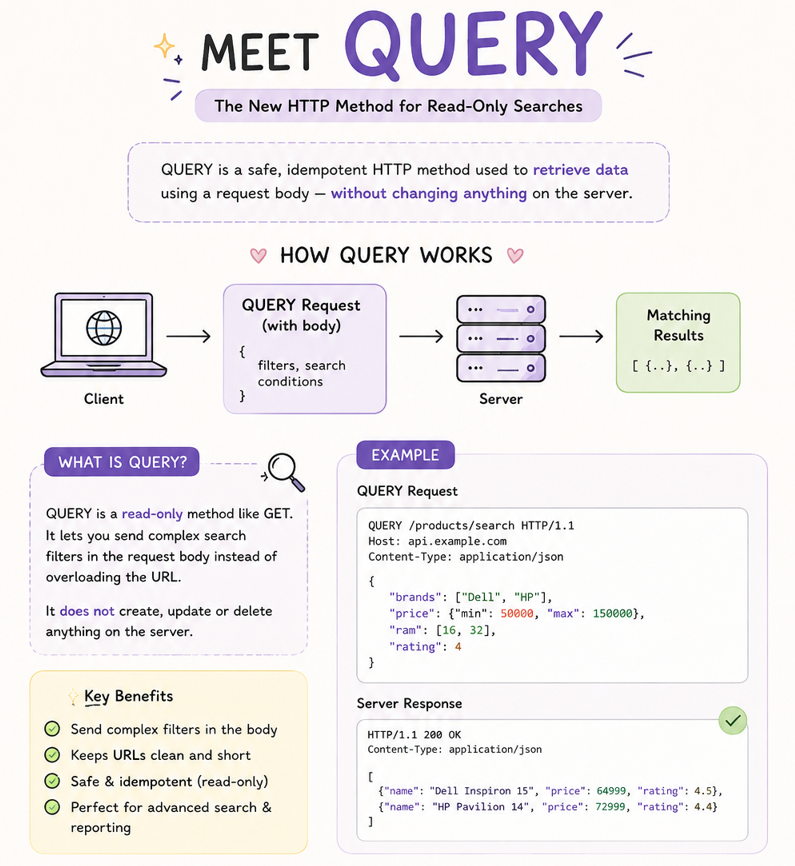
Standardized in RFC 10008, QUERY lets a client send a request body while clearly telling the server, proxies, and caches that this is still a read operation. In other words, you’re asking for information, not creating, updating, or deleting anything.
Here’s a simple example:
QUERY /products/search HTTP/1.1
Host: api.example.com
Content-Type: application/json
{
  "category": "Laptop",
  "price": {
    "min": 500,
    "max": 1500
    },
  "rating": 4 }
If this looks similar to a POST request, that’s because the request body is almost identical. The difference isn’t the payload. The difference is the meaning.
With QUERY, the protocol itself understands that this request is safe and idempotent, making it much easier for caches, proxies, and other HTTP tools to treat it correctly.
A few specifics worth knowing:
Servers must reject a QUERY request if the Content-Type header is missing or inconsistent with the body, no content sniffing allowed.
The RFC introduces the equivalent resource concept, a conceptual resource made of the target URI plus the request content. A server can assign that a real URI via a Location header, letting the client replay the exact same query later with a plain GET.
A Content-Location header can separately point to a snapshot of the specific result just returned.
Conditional requests (If-Modified-Since, ETag) work on QUERY the same way they do on GET, genuinely useful for polling a search endpoint without re-downloading unchanged results.
A simple way to remember it: GET is for asking simple questions. POST is for performing actions that create or change something. QUERY is for asking complex questions, using a structured request, while still making it clear that you’re only reading data, not modifying it.
Understanding QUERY with a Simple Example
Imagine you’re shopping for a laptop and want to filter by:
Brand: Dell or HP
Price: ₹50,000–₹1,50,000
RAM: 16 GB
Rating: 4★+
Before, a filter that outgrew the URL:
GET /products?brand=Dell&brand=HP&priceMin=50000&priceMax=150000&ram=16&rating=4...The common workaround, borrow POST:
POST /products/search
Content-Type: application/json

{
  "brands": ["Dell", "HP"],
  "price": {
    "min": 50000,
    "max": 150000
  },
  "ram": 16,
  "rating": 4
}
Now, the same body, with the right guarantees:
QUERY /products/search

{
  "brands": ["Dell", "HP"],
  "price": {
    "min": 50000,
    "max": 150000
  },
  "ram": 16,
  "rating": 4
}
Same payload as the POST version. The only thing that changed is the method and with it, safety, idempotency, and cacheability.
Where Will You Actually See QUERY?
If you’re expecting to find QUERY everywhere today, we’re not there yet.
Since RFC 10008 was only published in 2026, support across frameworks and cloud platforms is still catching up.
The places where QUERY makes the most sense are APIs that already use
POST for large search requests, such as:
Enterprise search platforms
SIEM and log analytics tools
Business intelligence dashboards
Inventory management systems
Large e-commerce search APIs
Reporting and analytics services
Tools like Elasticsearch, OpenSearch, Splunk, and Kibana already use structured request bodies for searches. Whether they’ll adopt QUERY depends on their future roadmap, but these are exactly the kinds of workloads the new method was designed for.
GET vs POST vs QUERY

Why Security Engineers Should Care
Since QUERY allows a request body while remaining safe and idempotent, it’s important not to assume that only POST requests contain meaningful user input.
Here are a few things security teams should keep in mind:
Inspect QUERY request bodies. WAFs, IDS/IPS, and API security tools that primarily inspect POST bodies should also analyze QUERY requests. Injection attacks like SQLi, XSS, or command injection can be delivered through QUERY just as they can through POST.
Safe doesn’t mean immune to security issues. QUERY is designed to be read-only, but that depends on the application’s implementation. If a QUERY endpoint performs unintended side effects, it can still introduce security risks.
Sensitive search data stays out of the URL. Search filters, usernames, or IDs that would normally appear in a GET query string can be moved to the request body, reducing their exposure in browser history, proxy logs, and access logs.
Caching requires careful handling. Unlike GET, QUERY responses are cached based on both the URI and the request body. Incorrect cache implementations could return results for the wrong query, so caches and proxies must process QUERY requests correctly.
QUERY isn’t replacing GET or POST. It’s filling a gap that’s existed since HTTP had methods at all. Whether it’s worth adopting right now depends on your stack. It’s a “small” change with a big impact.
Frequently Asked Questions (Coz even I had!)
What is RFC 10008? RFC 10008 is the IETF Proposed Standard that formally defines the QUERY method, authored by Julian Reschke, James M. Snell, and Mike Bishop.
How can you use the HTTP QUERY method? You can use QUERY just like any other HTTP method by specifying QUERY as the request method in your client or application. It works with tools like cURL, JavaScript's fetch(), and any HTTP client that supports custom methods.
Is QUERY cacheable? Yes. QUERY responses are cacheable, but the cache key must include the full request body, not just the URI, which makes caching more complex than for GET.
What are the PATCH and SEARCH HTTP methods?
PATCH is used to partially update an existing resource. For example, changing only a user’s email address without replacing the entire user record.
SEARCH was an HTTP method introduced as part of WebDAV for searching resources. Although it was standardized, it never became widely adopted outside WebDAV. QUERY was later introduced as a modern, general-purpose alternative for read-only queries.
Why was QUERY needed, and how does it help? Before QUERY, developers had two imperfect choices:
GET, which stores search parameters in the URL and becomes difficult to manage for large or complex searches.
POST, which supports a request body but suggests that the request may modify data, even when it’s only performing a search.
QUERY solves this by allowing structured request bodies for read-only operations while preserving the correct HTTP semantics. It makes APIs clearer, improves interoperability with caches and proxies, and provides a standardized way to perform complex searches.
Why not reuse WebDAV methods like SEARCH, REPORT, or PROPFIND? Because they carry the semantic baggage of WebDAV (RFC 5323, RFC 3253, RFC 4918), designed for a very specific namespace, and don’t capture well the conceptual link with a URI’s query component. The authors of RFC 10008 chose a new name, QUERY, precisely to avoid that ambiguity and generalize the pattern to the whole web.
What are Frameworks, REST, GraphQL, and WebSockets? These are different tools and approaches developers use to build applications and help them communicate with each other.
-> Frameworks: Think of these as a toolkit for developers. They provide ready-made components and structure, making it faster and easier to build web applications and APIs. Examples include Spring Boot, Express.js, Django, ASP.NET, and FastAPI.
-> REST: A widely used approach for building APIs where clients communicate with servers using standard HTTP methods like GET, POST, PUT, DELETE, and now QUERY. Most web APIs you use today follow REST principles.
-> GraphQL: An alternative to REST that lets clients request only the data they need, instead of receiving a fixed response. This helps reduce unnecessary data transfer, especially in large applications.
-> WebSockets: A communication protocol that keeps a connection open between the client and server, allowing data to be exchanged instantly in both directions. It’s commonly used for chat applications, live notifications, stock market updates, online gaming, and other real-time features.



Mình xem xổ số miền Bắc chủ yếu cho vui, chứ không quá bận tâm chuyện trúng hay không. Hồi trước toàn nghe người quen mách nước, mỗi người nói một kiểu nên càng nghe càng rối, chẳng biết dựa vào đâu. Gần đây mình thử đọc vài bài kiểu thống kê, nhìn theo tần suất với thói quen ra số thấy cũng hay, giống như tự đặt câu đố nho nhỏ để giải. Có lần mình đem mấy gợi ý trong Dự đoán XSMB Thần Tài ra thử, không phải để chơi lớn mà chỉ xem mình hiểu cách họ lập luận tới đâu, và thấy có vài chỗ khá hợp lý. Dù vậy mình vẫn giữ tâm thế…