The Everyday Phenomenon of Phones Connecting to Networks
- Aastha Thakker
- Jun 11
- 8 min read

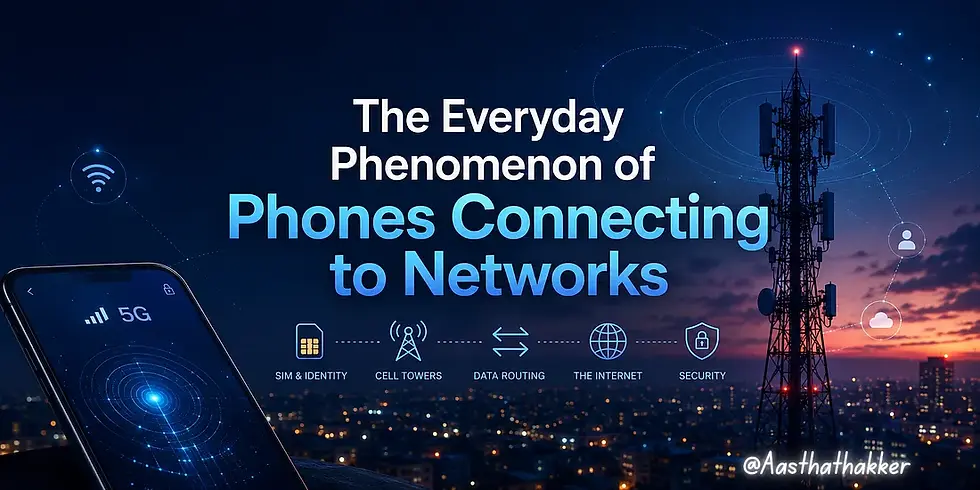
Right now, without you doing anything, your phone is synchronizing with nearby towers, identifying itself to the network, and later authenticating through cryptographic challenge-response mechanisms, quietly in the background whenever your device interacts with the network.
We notice two things about our mobile connection: the bars, and when it stops working.
Everything in between is what gets interesting.
Before going further, one important thing, mobile networking goes much deeper than what this blog covers. Real telecom infrastructure involves radio engineering, signaling protocols, spectrum management, mobility control, low-level LTE/5G architecture, and a lot of layers that entire careers are built around.
This blog is intentionally focused on the upper layer view; the part majority of the people interact with every day but rarely think about. The goal here is understanding how your phone stays connected, what happens behind signal bars, and why mobile communication behaves the way it does in real life. For simplicity, this mainly uses LTE terminology for the core network architecture, although modern 5G standalone networks introduce newer components such as the 5G Core (5GC), AMF, and UPF. Some lower-level implementation details are simplified intentionally for readability.
If enough people are interested, I would genuinely love to write a deeper breakdown covering the lower-level side of mobile networking too.
How Phones Connect to Cell Towers, Starting with Airplane Mode
When airplane mode turns off, your phone’s radio module wakes up and starts scanning. It is not guessing randomly. Every country and carrier operates on defined frequency bands, specific slices of the radio spectrum allocated by regulators. In India, Jio operates on Band 3 (1800 MHz) and Band 40 (2300 MHz) for LTE, while also holding 5G spectrum in the sub-6 GHz range. Your phone already knows which bands to check, that list is stored in firmware and updated through carrier profiles.
Nearby towers constantly broadcast synchronization signals. In LTE, these are called the Primary Synchronization Signal and Secondary Synchronization Signal. Your phone evaluates nearby candidates based on signal quality, priority rules, and carrier policies from multiple candidates, and picks the strongest one belonging to your carrier or an approved roaming partner.
The whole scan takes a few seconds. That pause is the device synchronizing, registering, authenticating, and establishing network connectivity.
When you send a WhatsApp message while walking through a railway station, your phone may switch towers multiple times before the message even reaches the server. This happens quietly and continuously.
One small but relevant note: even during network discovery, phones may emit radio signaling activity detectable by specialized equipment nearby. This matters in a way we will get to later.

Your SIM Card
A SIM (Subscriber Identity Module) is a small secure processor. It holds your IMSI (International Mobile Subscriber Identity), a secret authentication key called Ki, and the cryptographic algorithms needed to prove your identity to the network without ever transmitting Ki over the air.
The IMSI is a 15-digit number. The first three digits identify the country (Mobile Country Code). The next two or three identify your carrier (Mobile Network Code). The rest is your unique subscriber number. When your phone registers on a network, the carrier looks up this IMSI.
Here is the security-relevant part: carriers do not want your IMSI broadcasting constantly. After the first connection, the network assigns you a Temporary Mobile Subscriber Identity (TMSI), which changes periodically. Your real IMSI stays hidden during normal operation. If it were visible in every transmission, tracking your location over time would be trivial for anyone with the right equipment.
Authentication works through a challenge-response mechanism. The network generates a random number and sends it to your phone. Your SIM uses its secret key to compute a response. The network runs the same calculation independently. If both answers match, authentication succeeds. Ki never leaves the SIM. This is based on algorithms defined in the GSM and later LTE standards. Modern LTE/5G authentication frameworks are significantly stronger than early GSM-era implementations.
How Mobile Data Travels from Your Phone to the Internet
Mobile networks use packet switching. Your data, a video stream, a web request, a WhatsApp message, gets broken into small, labeled chunks called packets. Each packet carries a destination address, a sequence number, and the actual data. Packets do not all travel the same path. They are routed independently and reassembled at the destination.
When you load a webpage, here is what actually happens:
Your phone sends data wirelessly to the tower, called the eNodeB in LTE, the gNB in 5G. The tower connects via fiber or microwave backhaul links to the carrier’s core network. In LTE, this is called the Evolved Packet Core (EPC). Inside the EPC, the Serving Gateway (SGW) handles your session while the Packet Data Network Gateway (PGW) is the exit point to the internet. From there, packets travel through internet infrastructure, ISP networks, peering exchanges, content delivery networks, until they reach the server you are talking to.
The response is routed back through the carrier’s core infrastructure toward your device.
All of this happens in under 50 milliseconds on a good LTE connection. On 5G with low-latency configurations, it can go below 10 milliseconds.
The detail most people miss: when you are on mobile data, your carrier is not just a pipe. It is an active routing participant. Your phone gets an IP address assigned by the carrier’s PGW, in many cases, not directly a public routable IPv4 address. You are behind carrier-grade NAT in most cases, which has its own security implications.
Frequency Bands and Why They Change Your Daily Experience
You have probably noticed your phone shows different network indicators: LTE, LTE+, 5G, sometimes H+ in weak areas. These correspond to different network generations and frequency configurations.
GSM (2G) operates primarily on 900 MHz and 1800 MHz. Built for voice and basic data, many carriers still maintain it because it covers rural areas efficiently and old devices depend on it.
3G (UMTS/HSPA) significantly improved mobile data capability and usability around 900 MHz and 2100 MHz.
LTE (4G) is where broadband-grade mobile internet began. It is designed around IP from the ground up, uses MIMO antenna techniques (multiple-input multiple-output), and can aggregate multiple frequency bands simultaneously through Carrier Aggregation. That LTE+ indicator means Carrier Aggregation is active, your phone is combining two bands to increase throughput.
5G operates across a wide range. Sub-6 GHz 5G (like the 3.5 GHz band) offers substantial improvements over LTE with good coverage. mmWave 5G (above 24 GHz) offers extraordinary speeds but struggles with walls, glass coatings, obstacles, and even the human body compared to lower frequencies. The 5G most people encounter in real-world locations is sub-6 GHz, not mmWave.
The frequency band active at any moment affects your experience in very concrete ways. On 700 MHz LTE, you might have a stable connection three kilometers from the tower. On 2300 MHz, the same connection could drop at 800 meters in a built-up area. The trade-off is always coverage versus capacity. This is not an engineering limitation, it is physics.

How Your Phone Switches Towers Without Dropping Your Call
When your phone silently shifts from one tower’s coverage to another while you move, that is a handoff, also called handover. Your phone does not make this decision alone. The network orchestrates it.
Your phone constantly measures signal quality from both its current tower and neighboring ones. These measurements are reported back to the network on a regular schedule. When the network decides a neighboring tower would provide a better connection, it signals your phone to switch.
In LTE, this can happen in under 50 milliseconds under ideal conditions, fast enough that a voice call continues without audible interruption.
Calls drop at handoff boundaries for a few specific reasons: the signal from the current tower degrades before the new connection is fully established, the target tower is overloaded and refuses the handoff, or the timing synchronization fails during the transition. On highways where towers are spaced far apart for coverage rather than capacity, these gap-related drops are common.
Why Your Internet Slows in Crowded Places
This is probably the most practically useful thing to understand about mobile networks.
A cell tower has finite capacity, a ceiling on how much data it can handle simultaneously, shared among all connected devices. At a stadium with sixty thousand people, a large fraction of them are on their phones, all competing for radio resources from the same towers.
LTE divides time into 1-millisecond subframes and frequency into 180 kHz resource blocks. Each connected device gets scheduled to transmit or receive in specific resource blocks at specific times. More devices means smaller shares for each.
Carriers deploy temporary cells for large events, portable base stations called COWs (Cell on Wheels) or COLTs (Cell on Light Trucks). But even with these, a fully packed venue puts more radio load on local infrastructure than most carrier planning scenarios account for.
The slowdown you experience is not your phone or the internet being slow. It is radio resource contention at the tower level. Your packets route efficiently once they leave the tower. The bottleneck is the air between you and the antenna.
The Privacy Side
The same infrastructure that keeps devices connected also creates a side effect: location visibility.
Every time your phone connects to a tower, the carrier records which tower handled the connection. With multiple towers detecting your phone’s signal simultaneously (radio signals spread in all directions), the carrier can use timing differences to estimate your position. This capability is built into the system for emergency services, E911 in the US, similar standards elsewhere. Precision varies from roughly 50 meters in dense urban areas with many towers to several kilometers in rural zones.
This location data exists whether or not you have GPS enabled. It is a byproduct of how the network functions. A related blog to this is here.
Tower triangulation data is metadata. You are not being recorded, but the fact that your phone connected to a tower near a hospital at 2 AM, then traced a path to a specific neighborhood, is information. Metadata patterns reveal behavior even without content.
There is also the question of IMSI catchers, sometimes called Stingrays. These are devices that impersonate legitimate cell towers. Your phone, following normal network association logic, may connect to one. An IMSI catcher can attempt to capture identifiers such as IMSIs and TMSIs, and can perform downgrade attacks, forcing your phone from LTE back to 2G, on networks and devices where legacy fallback remains enabled, where encryption is weaker. Security researchers have documented their use by law enforcement, and their presence has been detected near protests, government buildings, and public events across multiple countries. If you are in a sensitive situation, airplane mode eliminates radio emissions entirely.

The airplane mode observation also applies to everyday contexts. Toggling it and turning it back on resolves stuck connections because your phone clears its cached network state, re-scans from scratch, and re-registers. Sometimes you were holding on to a poor-quality connection to a distant tower when a closer one was available. The re-registration finds the better option. It is not a trick, it is forcing the device to redo what it does automatically, but faster.
What Happens When Data Comes Back to You
It is not simply the reverse of the outward journey.
When you load a website, the server does not send data back through the same route your request took. The response routes through the internet based on routing tables, arriving at your carrier’s gateway with your phone’s assigned IP address as the destination. The carrier’s core network looks up your active session, maintained in the Serving Gateway and routes packets to whichever tower is currently serving you.
If you moved between towers while waiting for a response, the core network handles this transparently. Your session is maintained by the core, not the individual tower. This is why a file download does not restart when you walk between rooms, and your phone silently hands off to a different tower.
At the application level, most web traffic uses TCP (Transmission Control Protocol). Increasingly, QUIC, built on UDP, developed initially by Google, is being adopted. QUIC handles connection migration more gracefully: if your IP address changes during a handoff or when switching from Wi-Fi to mobile data, a QUIC connection can survive. Traditional TCP sessions typically do not survive direct IP changes gracefully.

What You Actually Have When You Have Signal
Four bars mean your phone has a strong radio connection to the tower. It says nothing about whether the tower has capacity, whether backhaul is congested, whether the internet path to the server is slow, or whether the server itself is the bottleneck.

Full bars with slow data suggest a network or server issue, not a radio problem. One bar with fast loading means the radio link is weak but uncongested.


Comments